
NEWVault Insights AI: ask your vault anything, cited to the source.See how it works
FutureVault logo
SECURITY & TRUST

What happens in the vault,
stays in the vault.

Information is the ultimate asset class. FutureVault centralizes, safeguards and protects client, advisor and enterprise data, information and documents.

SOC 2 Type II examinedSOC 2 Type II examinedOperational security, independently examined
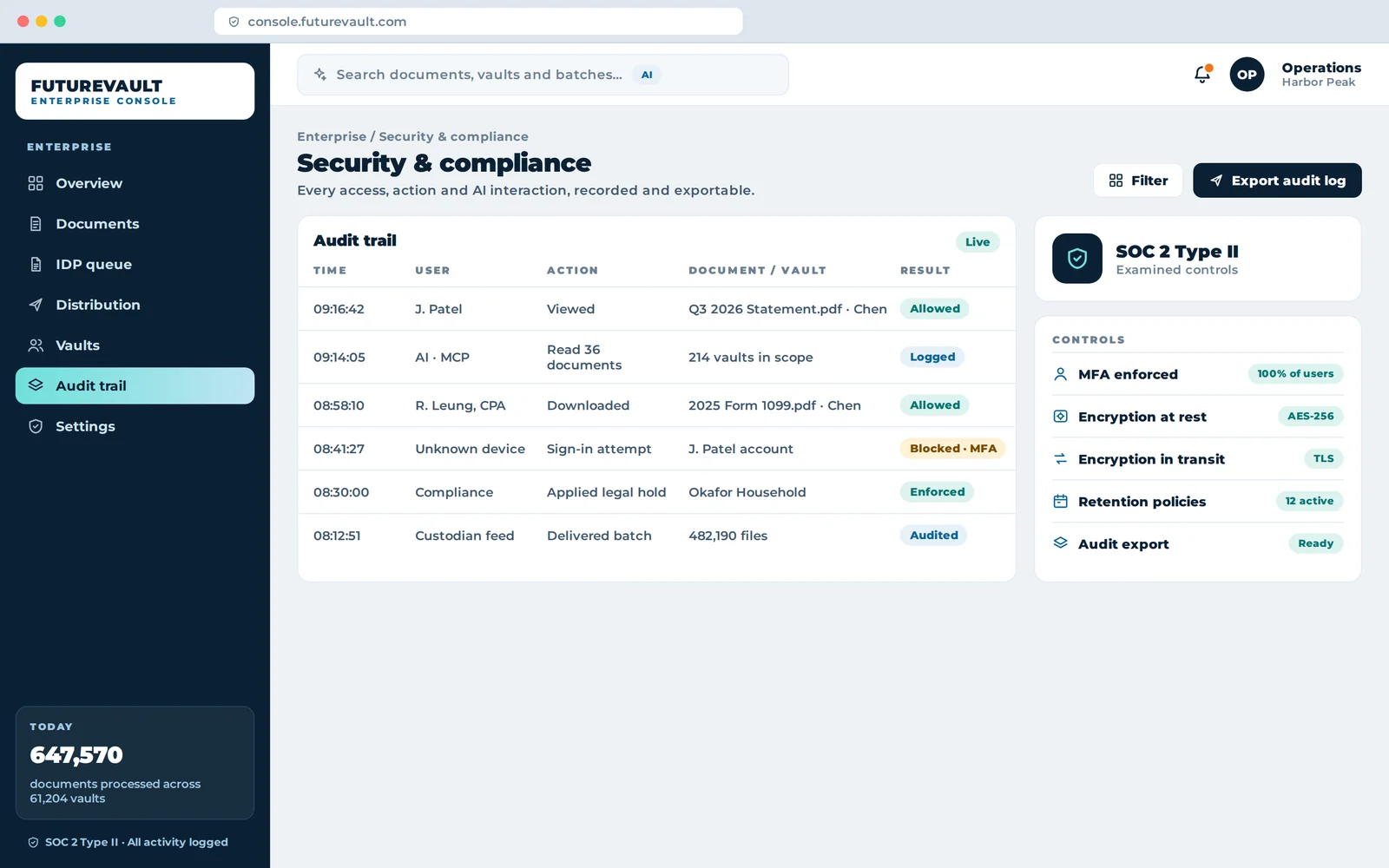
FutureVault security console with a live audit trail and access controls
SECURITY ALERTUnusual sign-in blocked; MFA challenge passed.Audit log
AUDIT TRAILLive12,840events recorded today
ACCESS REVIEW · 3 OF 4Single sign-onMFARole-based accessQuarterly review
The challenge

Your clients trust you with their most sensitive documents. Your vendor has to earn that too.

Vendor risk under scrutinyEvery new system faces InfoSec reviews, questionnaires and board questions.
Data residency obligationsClient data has to stay where your regulators and clients expect it to.
Proving control, on demandAuditors want evidence of who accessed what, and why, at any time.
Inside Security & Trust

Controls you can show your board and your regulator.

HARBOR PEAKWEALTH PARTNERS
SOC 2 Type IIExamined
CIS benchmarksAligned
Penetration testingOngoing
24/7 monitoringActive
Bring your own keyAvailable
Independently examinedSOC 2 Type II.
FAFirm administratorFull control
AAdvisorAssigned households
CCPATax folder only
AAuditorRead only
Access by roleRole-based access controls, enterprise-scale permissions and patented Trusted Advisor permissioning.
3data residency regions available
Data where it belongsAWS regions in Canada, the US or Europe.
Vendor due diligence4 of 4
SOC 2 Type II report
Security questionnaire
Data processing terms
Pen test summary
Ready for InfoSec reviewThe security package your team will ask for.
RetentionBy document type
Legal holdSupported
17a-4 and CIROSupported
Retention and legal holdsRecords kept as long as the rules require.
Firm administratorenabled SSO for advisors · 2 min ago
Auditorexported access report · 14 min ago
Systemrotated encryption keys · 1 hr ago
Every action, recordedA complete, timestamped audit trail.
How it works

DR4: regulatory support, built in.

  1. 1Document retentionHistoric copies of corporate, professional and client documents to meet retention requirements.
  2. 2Data residencyData encrypted and backed up across regions to meet residency requirements.
  3. 3Disaster recoveryA backup and recovery plan that prevents data loss and interruption.
  4. 4Data redundancyConstant backups, with originals kept and PDF copies created on ingest.
SOC 2
Type II examined
AES
Encrypted at rest
MFA
On every account
24/7
Security monitoring
WHY FUTUREVAULT LEADS

The document infrastructure
others are measured against.

See how we compare
#1Integrations in Client File SharingEzra Group integration score, 8.82/10
1,000+API endpointsPlus 7,000+ apps through Zapier
350KFiles delivered per hourCustodial delivery at enterprise scale
SOC 2Type II examinedOperational security, independently examined
1,325%ROI on IDPDocumented for a tier-1 institution
MCPGoverned AI, built inClaude, ChatGPT and agents, permissioned and logged
NOT EMAIL ATTACHMENTSNo vault, no permissions, no audit trail, and no way to take a document back.
NOT GENERIC FILE SHARINGBuilt for internal teams and shared links, not for clients, households and custodians.
NOT DOCUMENT DRAWERSStorage without custodial delivery, document intelligence or governed AI.
Secure AI

AI built for regulated data. Governed by design.

The same controls that protect every document protect every AI answer, extraction and action.

Visit the Trust Center
  • Private large language modelsAI runs on private models. Your documents stay within your environment and are never shared with public AI services or used to train them.
  • Permission-aware by defaultAI inherits role-based access controls and enterprise-scale permissions, so it only ever sees what that user is allowed to see.
  • Every AI action on the recordEvery question, answer, extraction, summary and agent action is logged in the audit trail, with the documents it used.
  • Cited and verifiableAnswers link to the exact source documents, and every extracted field carries a confidence score.
  • Your firm’s controlsAI is enabled where you configure it, and retention policies and legal holds apply to AI as to every document.
  • Residency and encryptionHosting in Canada, the United States or Europe, encryption in transit and at rest, and your own keys on request.
  • Independently examinedSOC 2 Type II examined, with 24/7 monitoring, vulnerability scanning and penetration testing.

AI security questions, answered.

Is our data used to train AI models?

No. FutureVault runs AI on private large language models, and your documents stay within your environment. They are never shared with public AI services or used to train their models.

Can AI see documents a user isn’t allowed to see?

No. AI inherits the same role-based access controls and enterprise-scale permissions as your people, so answers, extractions and agent actions only draw on documents that user is permitted to see.

How do we review what AI did?

Every AI question, answer, extraction, summary and agent action is recorded in the audit trail with the documents it used, so compliance can review it like any other activity.

Can we control where AI is used?

Yes. AI capabilities are enabled where they are configured for your portal, and your retention policies, legal holds and data residency apply to AI just as they do to every document.

FAQ

Security questions, answered.

Is FutureVault SOC 2 compliant?

Yes. FutureVault is SOC 2 Type II examined, with controls to safeguard enterprise and client data.

How does FutureVault control who sees what?

With role-based access controls (RBAC) and enterprise-scale permissions. Access is set by role, team, branch and line of business, inherited by every vault and folder, and every change is recorded in the audit trail.

How is data encrypted?

With modern encryption in transit and at rest. Firms can bring their own encryption keys on request.

How does FutureVault support retention and recovery?

Through DR4: document retention, data residency, disaster recovery and data redundancy.

Is FutureVault secure enough for our compliance and InfoSec teams?

FutureVault is SOC 2 Type II examined, encrypts data in transit and at rest, supports multi-factor authentication and records every action on a complete audit trail.

What does FutureVault integrate with?

Custodians including Schwab, Axos, CI Investment Services, NBIN and Fidelity Clearing Canada; CRMs including Salesforce and Microsoft Dynamics; DocuSign and Adobe Sign; portfolio, alternatives and identity platforms; Zapier; and 1,000+ API endpoints. FutureVault holds the highest Ezra Group integration score in Client File Sharing.

The platform

Better together.

Platform overview
Digital VaultBranded client vaults on web, iOS and Android.Explore Vault Insights AIAsk any vault a question. Answers cited to the source.Explore Intelligent Document ProcessingClassify, extract and act on document data at scale.Explore Document LakeEvery document from every source in one governed place, ready for retrieval and AI.Explore Document Lake Bulk Document DistributionUp to 350,000 files an hour, each in the right vault.Explore Secure Document ExchangeRequests, checklists and two-way sharing. No email attachments.Explore Onboarding & Account OpeningCollect, sign and file new-account paperwork in one flow.Explore FutureVault MCPConnect Claude, ChatGPT and your AI tools, fully governed.Explore