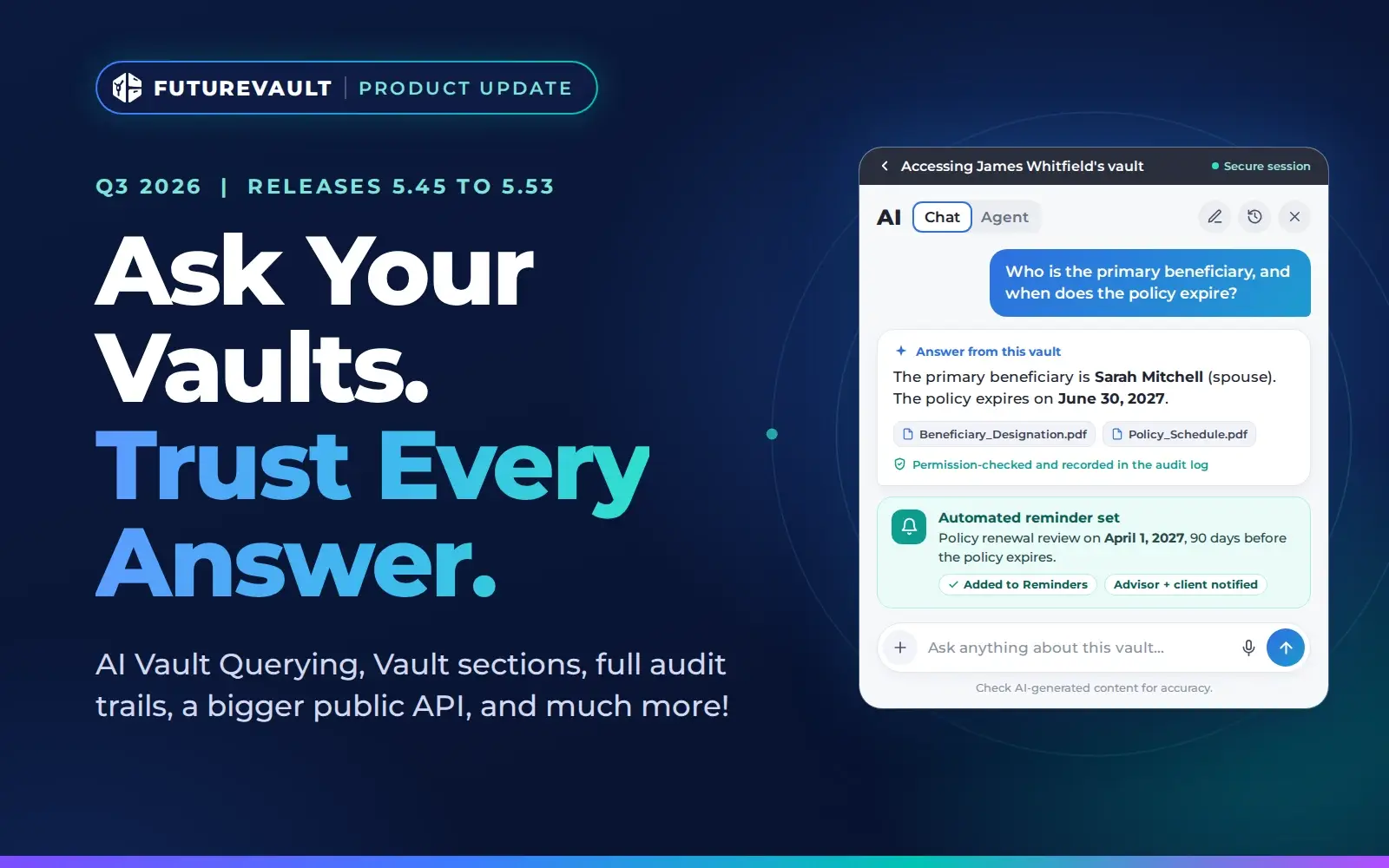


Nine releases and more than 100 improvements brought plain-language AI answers to FutureVault vaults this quarter, with every AI action permissioned, logged, and auditable.
Between July 9 and September 29, 2026, FutureVault shipped nine releases (5.45 to 5.53) with more than 100 improvements and fixes. The headline is AI Vault Query: designated users can now ask a vault a question in plain language and get an answer drawn only from that vault’s documents.
Around it, we made sure AI follows the same access rules as your people, gave firms new ways to structure vaults, closed gaps in the audit record, and opened up much more of the platform through the public API.
Vault Querying: Ask a vault a question. Get the answers you can trust from the documents themselves.
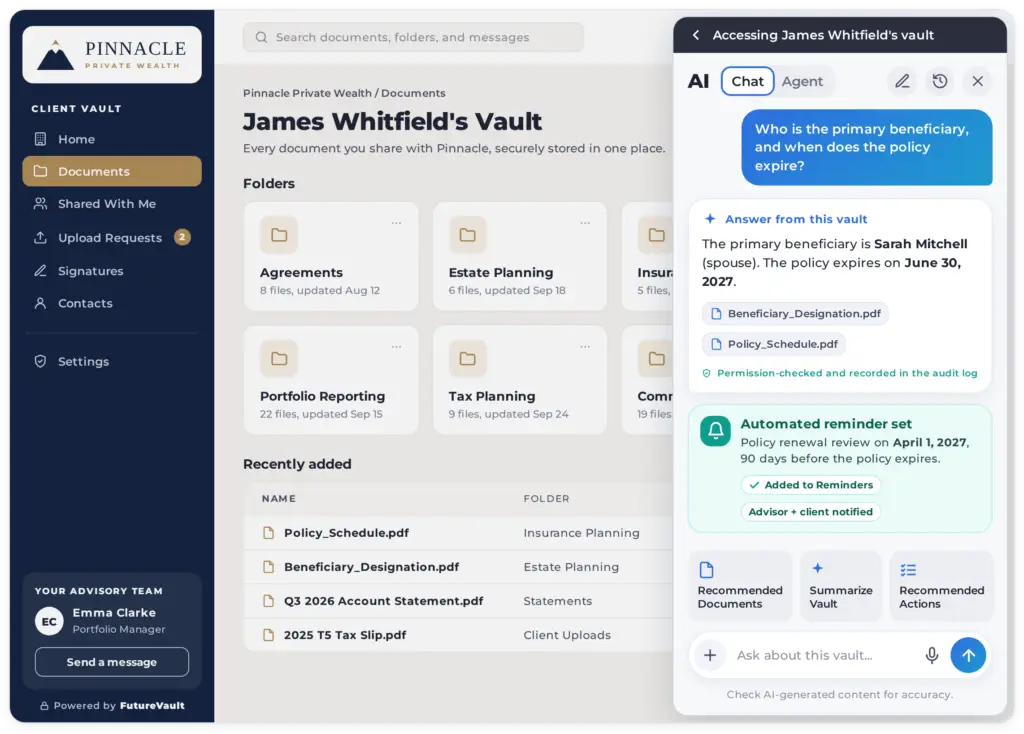
Finding a beneficiary name, an account detail, or an expiry date used to mean opening file after file. With AI Vault Query, designated users ask a question about a vault in plain language and get the answer directly.
FutureVault securely extracts data from the documents in that vault and passes it to a secure large language model. Answers come only from what the vault already holds, not from the open internet.
AI Extract also does more. It now handles additional document types and can save its results straight to document metadata, so extracted values stay attached to the file instead of being retyped by hand.
AI that follows the same rules as your people
New AI capabilities only matter if compliance can sign off on them. This quarter, governance kept pace:
- Permission-aware answers. A user only receives AI responses for documents they own or have been granted access to.
- Every AI action logged. Questions, extractions, summaries, and form fills are all recorded in the audit log.
- AI shows up in the audit trail. When AI reviews a shared document, that access appears in the document’s audit trail next to human views.
AI capabilities are available where they are configured for your portal.
Organize Vaults around how your firm actually works
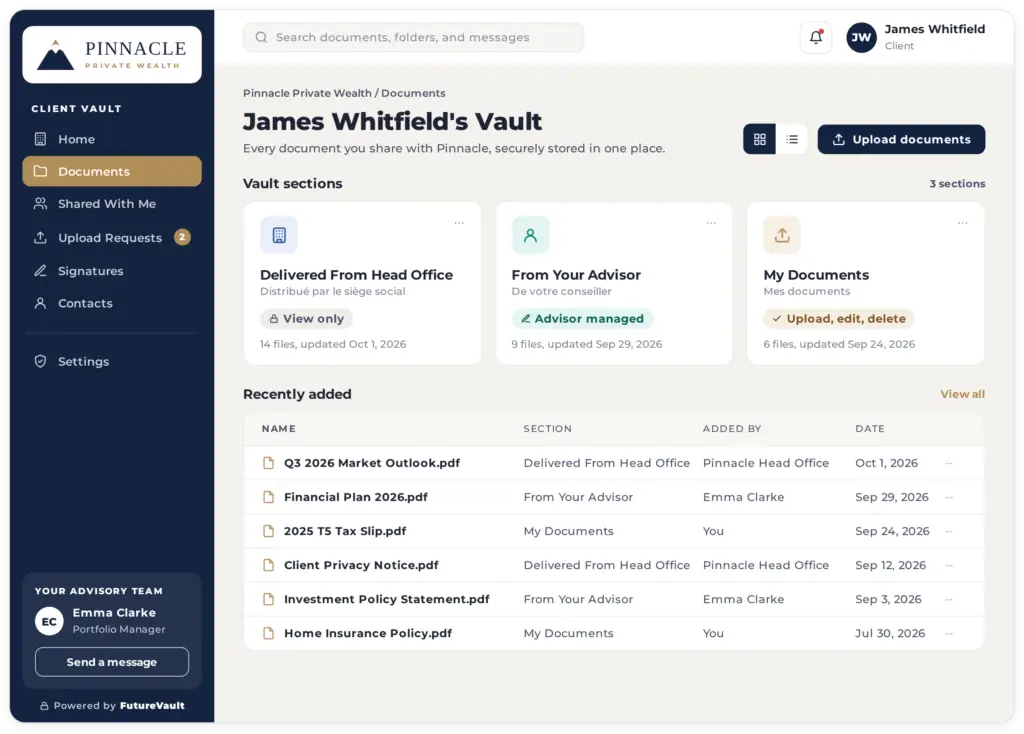
Firms can now divide a vault into distinct sections. Materials your firm distributes can sit apart from documents shared or uploaded by advisors and clients.
Each section has its own rules for who can create, edit, move, copy, or delete files, and every permission change is tracked. Folder names can display in both English and French, and Custom Company Folders can carry descriptions so teams know what belongs where.
Several changes also cut manual follow-up:
- Checklist items mark themselves complete when the matching file is uploaded.
- Administrators can hide vault details and activity from collaborators.
- Head Office Admins can manage a representative’s access to Head Office vaults and client portals from a single screen.
A complete record for every audit and investigation
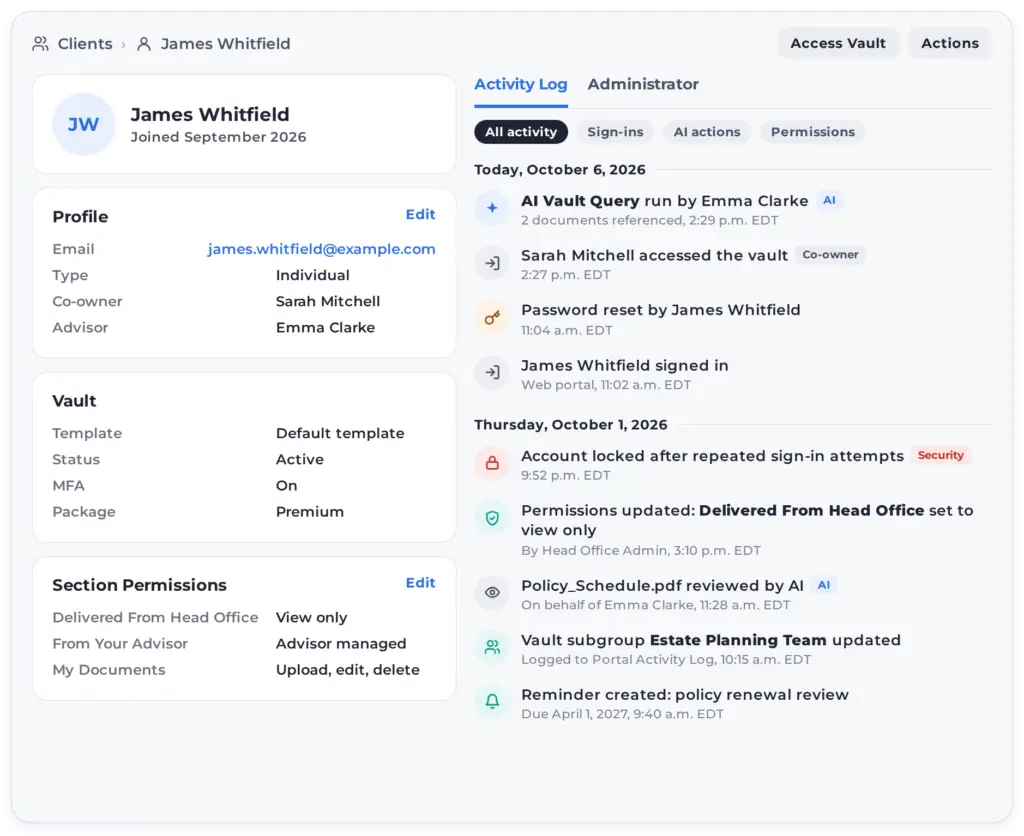
When compliance or support needs to reconstruct what happened, the record is now complete. User and vault activity logs capture:
- Logins
- Password resets and updates
- Account lockouts
- Vault access by co-owners and collaborators
Updates to vault subgroups now appear in the Portal Activity Log. We also strengthened sign-in protection against repeated attempts, with no change to how users sign in.
Connect FutureVault to the rest of your stack
Advisors who use Addepar can now sign in to FutureVault through single sign-on. Built-in validation confirms they are reaching the correct firm’s environment.
The public API grew substantially, with new endpoints for:
- File requests
- Entities
- Sharing
- Contacts
- User management
- Document management, including moving, renaming, labeling, and accessing metadata
We reviewed and rewrote the full API library in clearer language. Developer documentation now sits behind a secure sign-in for authorized partners.
Less friction in everyday work
The small things add up across a day of client service:
- Faster uploads. Extra steps appear only when a decision is actually needed.
- Faster login.
- One-click page rotation in the document viewer.
- Role-based guided tours help each user get oriented in their vault or admin portal.
Reporting and billing documents now pass through an in-review step before clients see them. Accessibility improvements make FutureVault easier to use with a keyboard or screen reader. The quarter also delivered dozens of fixes for reliability, entity handling, and French translations.
See it in your portal
Want AI Vault Query, vault sections, or the new API endpoints turned on for your firm? Contact your Customer Success team or book a demo to see the Q3 releases in action.